Guide available
Quick start
Connect Velmo to your home, create your credentials and move your screens onto the VELMO network.
Open quick startSmart TVs and projectors send data even when nobody is watching. Velmo sits between them and the world, and decides what leaves your home.
Prototype in development. We're preparing the Kickstarter campaign for the first batch.
See every destination and when it first appeared. No blocking, isolation always on.
Stops telemetry, ad measurement and content recognition where they are separable. Streaming keeps working.
Only names that are explicitly allowed get out. Everything else is stopped at the first packet.
Devices from unknown brands start here.
It stays on Velmo's network and remains visible in the console, but nothing gets out. Blocked requests remain readable too.
A smart TV is a computer on the internet, updated whenever its maker decides, talking to dozens of servers. Here is what it does while you watch, and while you don't.
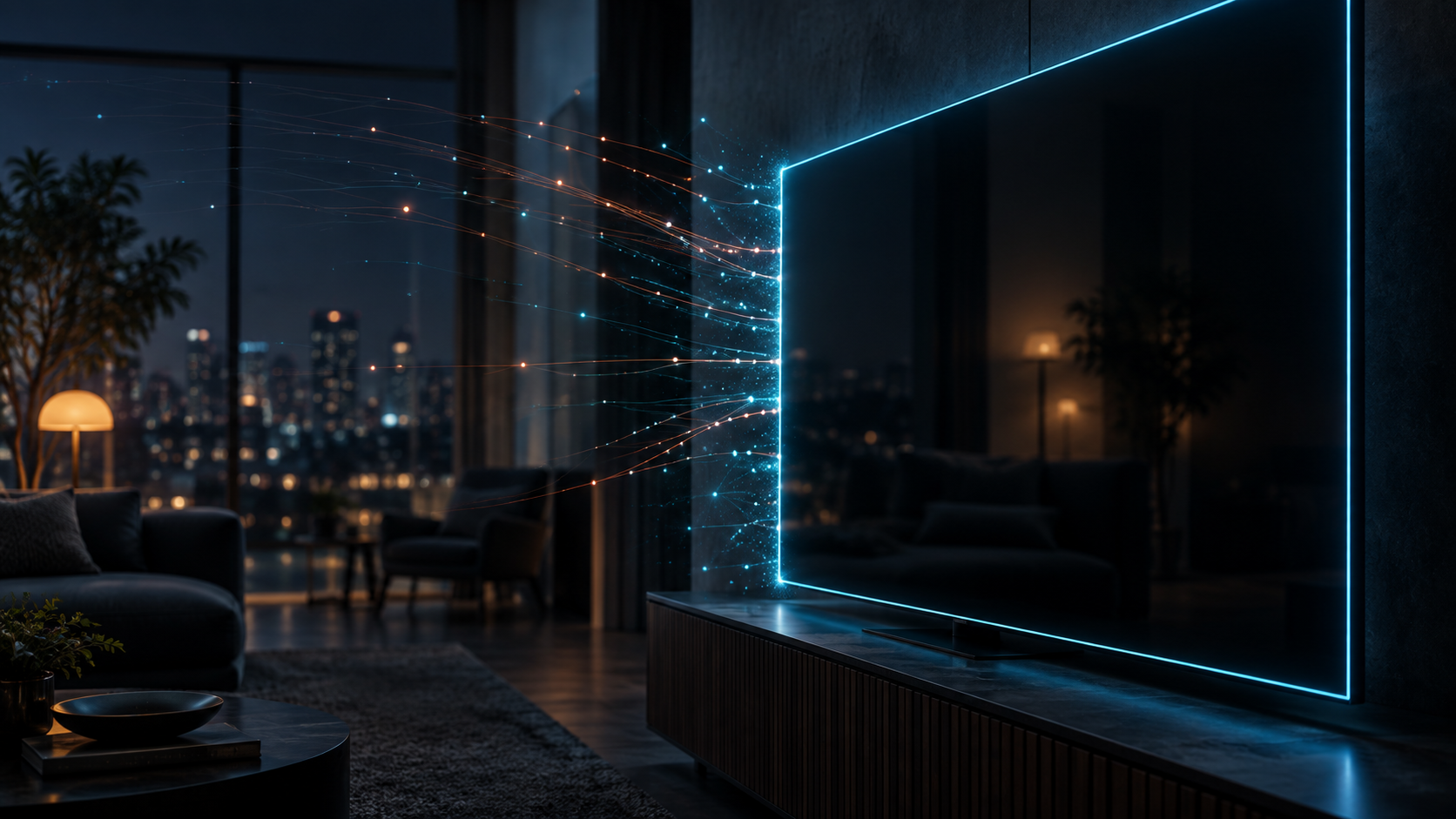
It tells its maker and the apps how you use the screen: what you turn on, when and for how long.
ACR identifies what is on screen, even from an antenna or an HDMI input, and builds a profile of whoever is watching.
Free channels and home screens carry tailored ads and audience-measurement systems.
When it turns on it can sweep your home network and discover the other devices connected to it.
It bypasses your home DNS and queries public or encrypted resolvers, so it can't be filtered.
It stays connected when off: downloading, uploading and talking to servers while you sleep. Closed apps keep doing it too.
Marketplaces are full of projectors, Android boxes and cameras at rock-bottom prices. Some leave the factory with software hidden in the firmware: on first connection it downloads instructions from a remote server and from then on, at regular intervals, asks whether there is more to do.
The most common job is turning your home into a residential proxy: someone on the other side of the world pays to route their traffic through your connection. If that traffic ends up in an investigation, the address that shows up is yours. And a factory reset won't remove it.
Isolated from your home, the projector can't reach your other devices. In aggressive mode it only gets out to what is allowed: the server giving orders never answers, and your connection isn't for sale.
The case was reported by DDay.it on 18 May 2026: Il lato oscuro dell'elettronica a basso costo su internet

Three steps. Your home network stays as it is.
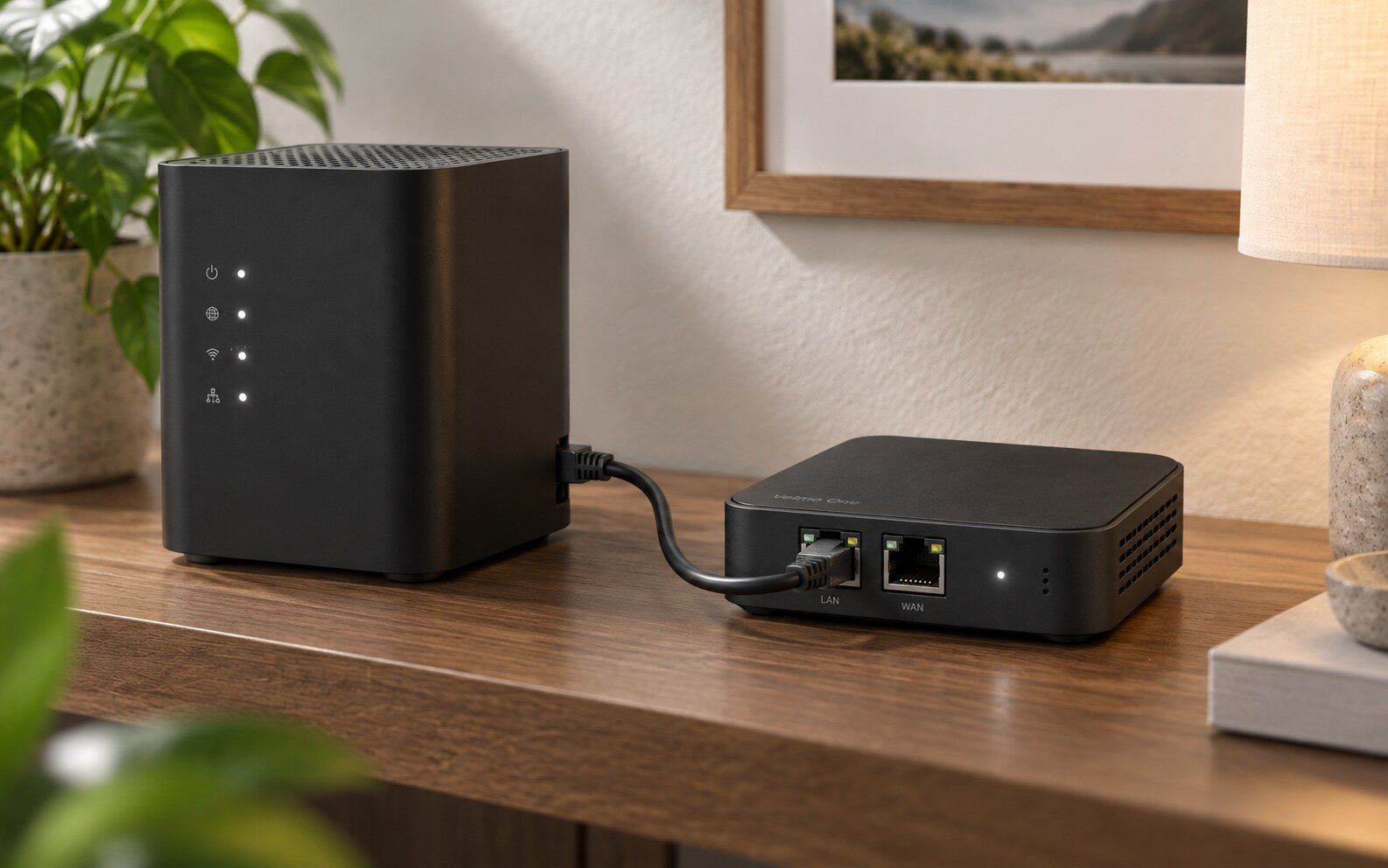
Use a cable to the WAN port, or home Wi-Fi configured through Velmo. It chooses the available route itself.
TVs and projectors join VELMO on either band or use the two LAN ports. One network for every screen in the house.
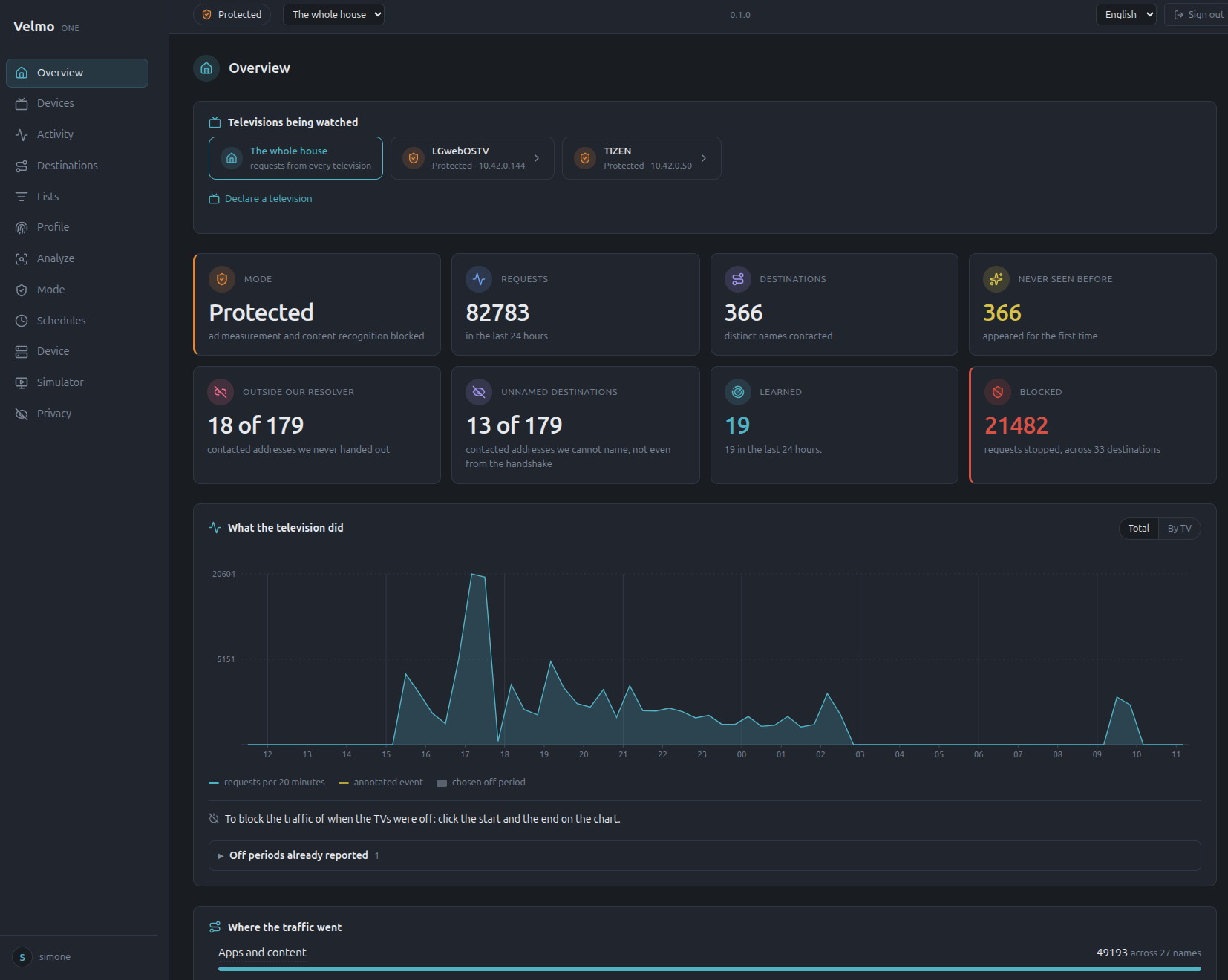
Every screen is recognised when it connects and receives its protection. Then you decide, from the local interface.
Start here
Set up Velmo in a few minutes, then open the manual when you want to go deeper.
Connect Velmo to your home, create your credentials and move your screens onto the VELMO network.
Open quick startSetup, modes, pipelines, screen management and everything needed to use Velmo day to day.
Open manualIt isn't a filter with a list. It's a device built for screens: it knows who they talk to, when, and since when.
Dialix is an '80s hacker game you play while you watch. On the radar, blips flash for everything your TV is calling, grouped by family. The mission: block the noise without killing the show. Every name you block that wasn't needed scores +10. Missed shot? −5: open it again and retry. There's no final level: there's always another signal to take down.
Your TV's real traffic, right now. Blips appear in the sweep and fade in five seconds: catch them on the fly.
Step into a family and aim name by name. One tap and the TV stops calling it, instantly. And it stays quiet.
Did the show stop? Halve takes you in a few shots to the one address it really needs. Everything else stays out.
Went too far? One button and you're back at the checkpoint: everything as it was before the game. There's no game over here.
No cheats decided by us on your behalf: even the factory lists can be overridden. The joystick is yours.
TVs and projectors can't see or reach the other devices in your home. Not even each other.
Every DNS request goes back to Velmo's resolver. Encrypted DNS and public resolvers stay closed.
It tells the traffic of a film apart from that of a screen you think is off.
It notices a destination no list knows about, from the shape of its traffic.
One rule for a whole family of names, turned every minute into what actually goes through.
For every destination you know when it first appeared, screen by screen.
A guided walkthrough: what the screen does on its own, with apps, in the browser and when you change consent settings.
Export a model's profile and share it with anyone. It carries the shape of the behavior, never your household's history.
In preparation: the prototype's lists are still updated through local provisioning.
In preparation: today a destination is reviewed in the console, one entry at a time.
A single Velmo runs every screen, each with its own mode and its own history. VELMO is one network across 5 and 2.4 GHz and both LAN ports.
Block or unblock any destination. The people who live there always win.
Choose how many devices can join. The limit covers everyone, including devices already recognised, and the console shows how many places are left.
Assign a screen time ranges: blocked at night and protected by day, for example. Outside those ranges, its usual mode applies.
It uses the WAN cable when available, otherwise your configured home Wi-Fi. Screens remain on their separate network.
A router with a blacklist stops what someone has already catalogued. Putting your TV in the DMZ looks like protection, and it's the opposite.
| Topic | Router with DMZ and blacklist | Velmo |
|---|---|---|
| What it stops | Whatever someone has already put on a list | Also what no list knows about, from the shape of the traffic |
| Changing names | The list goes stale at the first firmware update | Families of names, rebuilt every minute from what goes through |
| Screen off | Doesn't know whether the screen is on | Knows what the screen did while it was off |
| History | Can't tell whether a name is new | When every destination first appeared, for every device |
| Bypassed DNS | Public resolvers and encrypted DNS slip past it | Every request goes back to Velmo's resolver; where DNS is silent, it reads the server name |
| Unknown device | Treated like everything else | Starts in aggressive mode: it only reaches what is allowed |
| DMZ | Exposes the screen to anyone coming from outside, and says nothing about what goes out | Isolates it from your home; every exception is declared, with who opened it and when |
| When a block breaks something | You switch off the whole filter | The people who live there decide, item by item |
Free tools have arrived that use an AI assistant to open the TV through its debugging commands and switch off the software it doesn't need. A DNS filter stops names that are already known. Velmo sits on the network, between the screen and the internet. They don't rule each other out: they do different jobs.
| Topic | Clean-up from insideInside the TV | DNS filterOn the names the screen asks for | VelmoOn the network, between the screen and the internet |
|---|---|---|---|
| Technical skills | No: High: developer mode, debugging commands, network addresses. The AI assistant helps, but if it switches off the wrong package you have to know how to fix it | Partly: Some: a server at home, or the router's DNS to configure | Yes: None: a cable to your home router, the screen on the VELMO network, everything else from the console |
| Which devices | Partly: Only systems that let themselves be opened: some TVs and boxes | Partly: Those that use the home DNS, until they bypass it | Yes: Any device that joins its network: TVs, projectors, boxes, inverters, connected gadgets |
| Home screen and speed | Yes: Its strong point: removes sponsored rows, swaps the launcher, lightens the system | Partly: Removes ads served from names already on a list | No: Not its job: Velmo is not an ad blocker |
| Content recognition | Partly: Switches off the services it knows, on the models it knows | Partly: Stops names already catalogued | Yes: Blocks known destinations and, in Aggressive, everything that isn't allowed |
| Bypassed DNS | No: Not its concern: apps stay free to use their own DNS | No: Public resolvers and encrypted DNS slip past it | Yes: Every request goes back to Velmo's resolver; encrypted DNS stays closed |
| Resets and updates | No: A factory reset wipes it all; an update can switch back on what was off | Partly: Holds if it lives on the network; if it's set on the TV, a reset wipes it | Yes: Nothing changes: Velmo stays outside the TV |
| What's left open | Partly: The debugging port, unless it's closed once the job is done | Yes: Nothing: it doesn't touch the TV | Yes: Nothing: the TV stays as it left the factory |
| What really goes out | No: It can't see: a service is switched off and you trust it | Partly: Sees the names requested, not whether the screen is on | Yes: Every destination, screen on and off, and when it first appeared |
Velmo One is managed at home, from its local interface. There's no account to create and no server that knows who you are.
What Velmo learns about your screens stays on the device. Your history never leaves, not even to us.
The profile you export describes how a screen model behaves. What you watched, and when, never goes into it.
It observes TVs and projectors. Phones and computers stay on your home network, out of its sight.
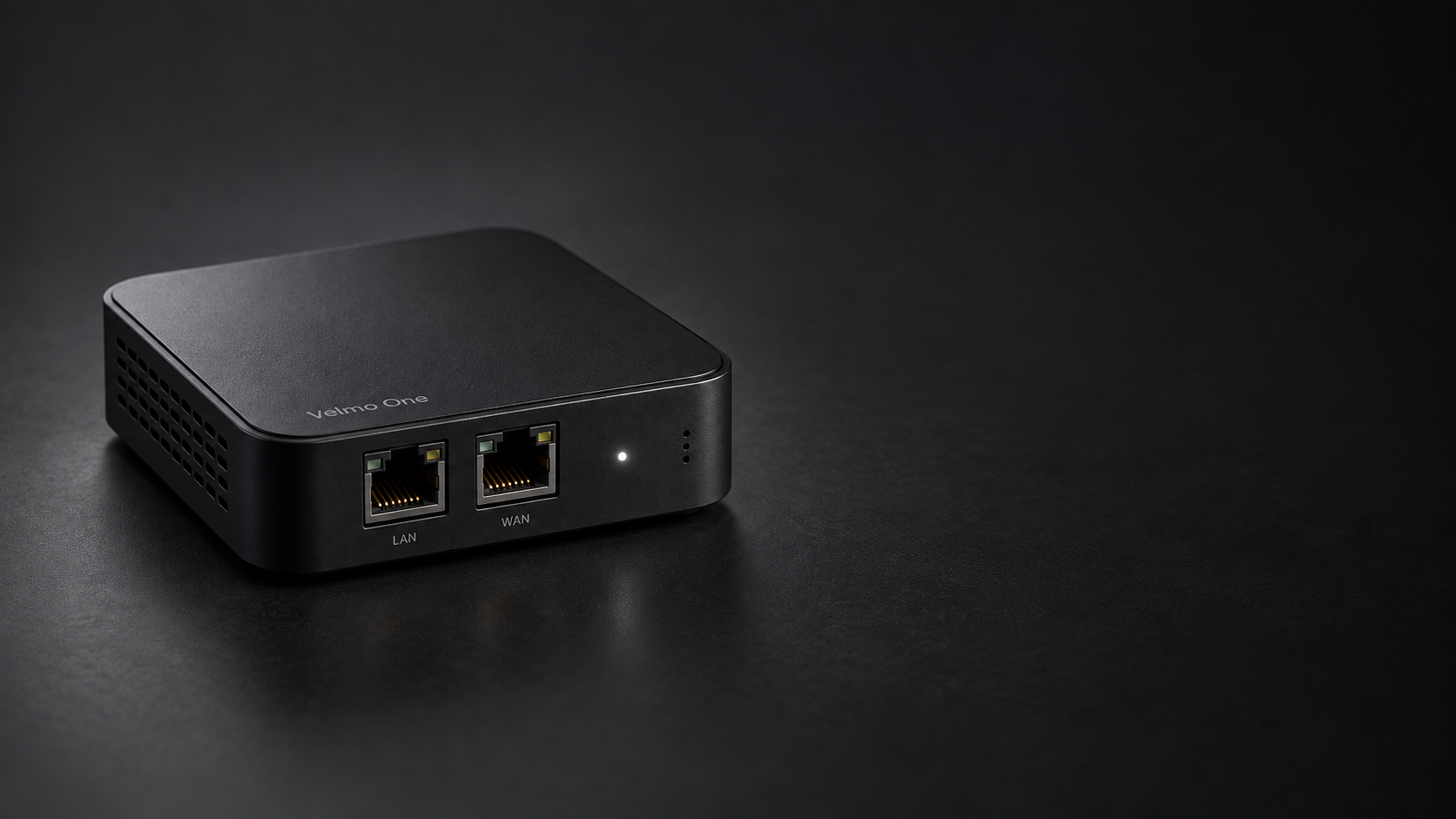
The prototype runs every day on real TVs, and we're preparing the Kickstarter campaign for the first batch. Leave your email and we'll tell you when it starts.
Notify me at launchImage for illustration only: it does not represent the final product.
A smart TV collects data on how you use it: which apps you open, when, and often what is on screen, through automatic content recognition (ACR). It sends that data to its maker and their partners, sometimes even while it's off. Velmo One shows you who your TV talks to and stops what shouldn't leave your home.
TV menus almost always have an option tied to "viewing information", but switching it off doesn't guarantee the transmissions stop. Velmo One works at the network level: in Protected mode it blocks content-recognition destinations, and in Aggressive mode only what is allowed gets out.
A DNS filter stops names that are already known, but many TVs query public resolvers or encrypted DNS to get around it, and telemetry names change often. Velmo One sends every request back to its own resolver, closes encrypted DNS and spots new destinations from the shape of their traffic. Ads stay: Velmo does not block them. DNS filters and replacement launchers remove some of them; Velmo stops the known measurement destinations that come with them.
Yes. Projectors sold on marketplaces have been found with malicious software installed at the factory, which lends your home connection to strangers and survives a factory reset. Velmo One isolates the device from the rest of your home and, in Aggressive mode, only lets it reach allowed destinations.
No, it exposes it more. A DMZ opens a device to incoming traffic from the internet and does nothing to limit what it sends. A TV needs the opposite: isolation from your home and control over what goes out, which is what Velmo One does.
They help with ads that are already known. They can't tell whether the screen is on or off, they don't recognise a destination no list contains, and they can't keep up with names that change every day. Velmo One is built for screens.
They do a different job. Those tools open the TV through its debugging commands and switch off software inside it: they tidy the home screen and make the system faster, which Velmo doesn't do. They only work on systems that let themselves be opened, and a factory reset wipes them. Velmo stays outside: no developer mode, no port left open, and it works with any device, including the ones that can't be opened. You can use both: in Watch only mode, Velmo shows whether what you switched off has really gone quiet.
On 19 September Netflix, YouTube, Rakuten TV, free channels, Prime Video and RaiPlay played in Aggressive mode on the test bench. This is not a guarantee for every app or update: if something fails, review the destination in the console or change that screen's mode.
Not the content: connections are encrypted, and Velmo only sees their destination and shape. It knows which app the screen is using and when, because that's how it spots new behavior, and that history stays on the device: it never goes to us or anyone else.
No. Velmo One is managed from its local interface, on your home network, with no account and no cloud. Signed updates come from velmo.one, and install only when you confirm.
Yes. Pipelines group time ranges like phone alarms and can be assigned to each screen. During a range, its stated mode applies; outside it, the usual mode returns. If two ranges overlap, Velmo chooses the more protective one.
Velmo uses one arrangement: it joins your home network through the WAN port or configured home Wi-Fi, and serves screens through both LAN ports and the VELMO network, available on 5 and 2.4 GHz. There is no topology to choose.
Protection starts right away: as soon as the TV joins the VELMO network, Velmo recognises it and applies its mode. The numbers in the console come later, because without a USB stick Velmo updates its counts every five minutes, to write as little as possible to its internal memory, which has to last for years. So a TV you have just connected may show zero requests for a few minutes: that is normal, and the Overview page refreshes by itself. With a USB stick prepared from the Device page, the counts update every minute.
The limit is configurable from the Device page and applies to every device, including those already recognised. Devices already connected are not thrown out if you lower it: the cap applies to new arrivals.
Yes. Velmo One works at the network level, so it protects any connected TV, projector or streaming box, whatever the brand. Its knowledge of individual models grows with updates and shared profiles.
Yes. Velmo works at the network level: any device that joins the VELMO network, over Wi-Fi or cable, is kept apart from the rest of the home and gets its own mode. That includes a solar inverter's Wi-Fi dongle, or a camera or smart plug of unknown origin that connects to servers you know nothing about: in Aggressive mode it only reaches what you allow, in Blocked mode it has no internet at all. If the maker's app needs its cloud, you decide whether to let it through.
Velmo One is in development and the Kickstarter campaign for the first batch is being prepared. Join the list at the bottom of the page and we'll tell you when it starts.
Velmo One arrives with the Kickstarter for the first batch. Leave your email: we'll write when it opens, and that's all.
We only write about the Kickstarter launch: three emails at most. Leave with one click.
We keep your email, your language, the page you sign up from and your TV if you write it, on our own server and only to tell you about the launch. If you don't confirm within 7 days of the confirmation email, you're removed; the list is deleted within 30 days of the end of the campaign. Data controller: Alpha Omega Solutions. Privacy
For anything else: Contact us
Questa pagina è disponibile anche in italiano.
Leggi in italianoEsta página también está disponible en español.
Leer en españolHalaman ini juga tersedia dalam bahasa Indonesia.
Baca dalam bahasa IndonesiaEsta página também está disponível em português do Brasil.
Ler em português